
Continue
- Homepage: continue.dev
- Install docs: docs.continue.dev/getting-started/install
- Gateway config: Anthropic provider / OpenAI provider / config.yaml reference
- Protocol: Anthropic Messages (recommended, for Claude) / OpenAI-compatible (for GPT and other models)
Install
Continue is an IDE extension. It officially supports VS Code (including derivatives such as Cursor, Windsurf, and VSCodium) and the JetBrains IDE family. For all other methods, defer to the official install docs.
VS Code
Press Ctrl/Cmd + Shift + X to open the Extensions panel, search for Continue, and install it; you can also install it from the command line by its Marketplace ID:
code --install-extension Continue.continueJetBrains (IDEA / PyCharm / GoLand, etc.)
Go to Settings → Plugins → Marketplace, search for Continue, install it, and restart the IDE; you can also install it from the JetBrains Marketplace page.
After installing, a Continue icon appears in the activity bar. You can check the installed Continue version in the Extensions panel; if you run into problems, it’s a good idea to update to the latest version first.
Connect TokenBay
How it works
Continue does not use environment variables to configure the gateway. Instead, you register a models entry for each model in the config file ~/.continue/config.yaml, pointing to TokenBay with apiBase and passing the credential with apiKey. There are two kinds of providers for connecting to TokenBay:
anthropic(recommended): uses TokenBay’s native Anthropic endpoint, with the most complete feature set (supports prompt caching and similar features). SetapiBasetohttps://api.tokenbay.com/v1, and Continue will append themessagesendpoint after it.openai(alternative): for non-Claude models such as GPT and DeepSeek, using the standard/chat/completions. SetapiBasetohttps://api.tokenbay.com/v1as well.
apiBasemust include/v1: The official examples all setapiBaseto a versioned endpoint root (e.g..../v1), and Continue then appends paths such asmessagesorchat/completionsafter it. So set it tohttps://api.tokenbay.com/v1throughout; do not write the bare domainhttps://api.tokenbay.com, otherwise the resulting URL will drop the/v1.
1. Get an API key
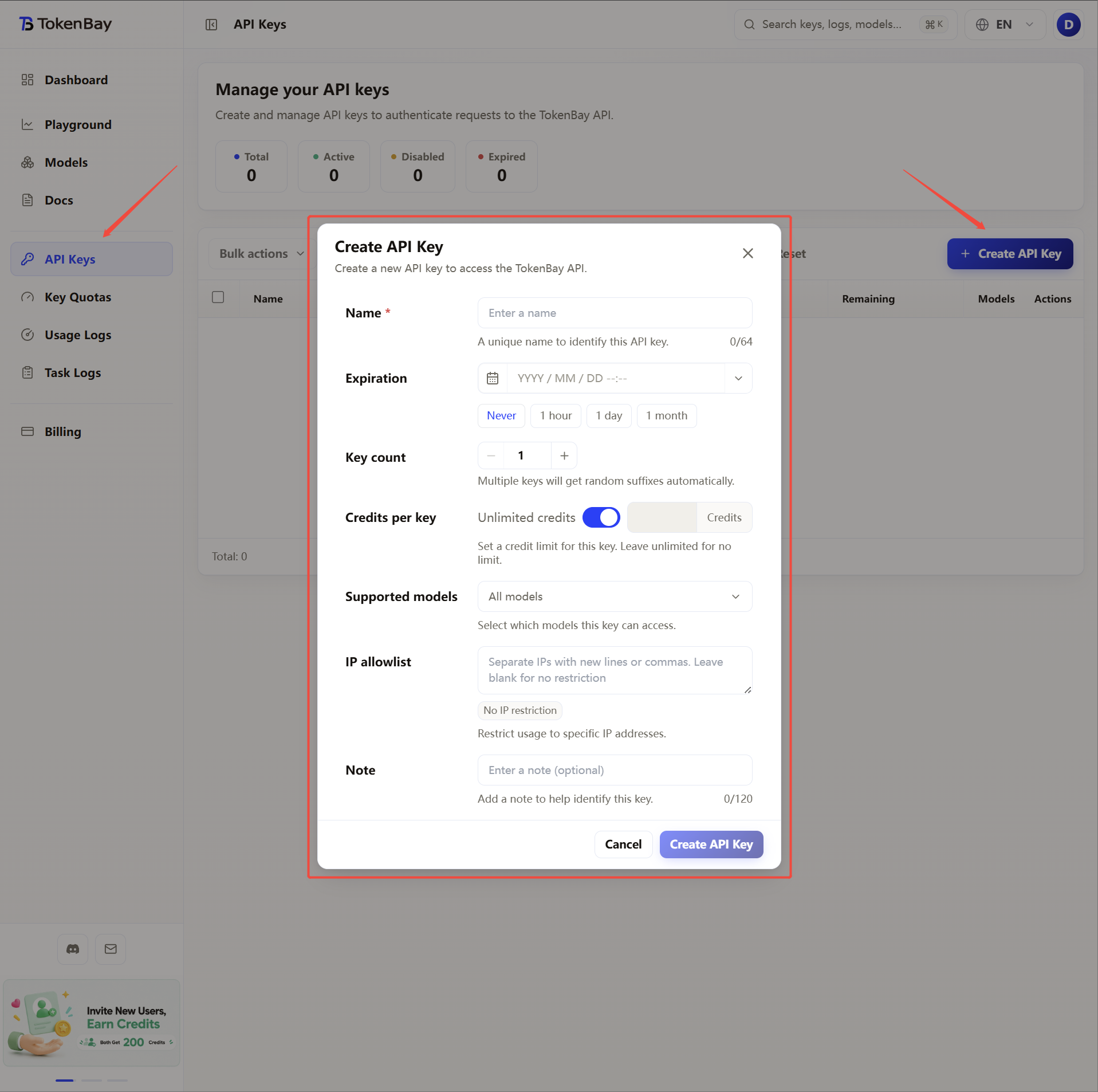
Sign in to the TokenBay console → API Keys → Create Key. Copy the full string starting with sk-. The plaintext is shown only once and cannot be viewed again after you leave the page.
2. Edit ~/.continue/config.yaml
Config file locations (in order of priority):
| Scope | Path | Notes |
|---|---|---|
| User-level (global) | ~/.continue/config.yaml | Applies to all projects, most common |
| Project-level | .continue/config.yaml in the workspace root | Applies only to that project and is merged with the global config |
If the file doesn’t exist, click the gear (settings) at the top-right of the Continue sidebar in VS Code to generate it. Fill in the following (replace sk-XXXXXXX with your key):
name: TokenBay
version: 1.0.0
schema: v1
models:
  - name: Claude Sonnet (TokenBay)
    provider: anthropic
    model: claude-sonnet-4.6
    apiBase: https://api.tokenbay.com/v1
    apiKey: sk-XXXXXXX
    roles:
      - chat
      - edit
      - apply

  - name: GPT-5.5 (TokenBay)
    provider: openai
    model: gpt-5.5
    apiBase: https://api.tokenbay.com/v1
    apiKey: sk-XXXXXXX
    roles:
      - chat
      - edit
Field reference:
| Field | Notes |
|---|---|
provider | anthropic uses Anthropic Messages; openai uses Chat Completions |
model | The model ID on TokenBay, passed straight through to the upstream, with no prefix |
apiBase | Always set to https://api.tokenbay.com/v1 (with /v1) |
apiKey | Your TokenBay API key (sk-...) |
roles | The roles this model serves within Continue (chat / edit / apply / autocomplete / embed, etc.) |
After saving, Continue hot-reloads — no need to restart the IDE.
If you’d rather not write the key in plaintext in the config, use Continue’s secret reference syntax
apiKey: ${{ secrets.TOKENBAY_API_KEY }}and maintainTOKENBAY_API_KEYin Continue’s settings.
3. Recommended models
| Use case | Model ID | provider |
|---|---|---|
| Primary coding (chat / edit / apply / agent) | claude-sonnet-4.6 | anthropic |
| Complex refactoring / long context | claude-opus-4.8 | anthropic |
| Lightweight / fast response | claude-haiku-4.5 | anthropic |
| GPT general-purpose flagship | gpt-5.5 | openai |
| GPT coding alternative | gpt-5.3-codex | openai |
| Inline autocomplete | gpt-5.4-mini | openai |
Model IDs are passed straight through to the upstream, with no prefix. See the Models list for the full set of available models.
Model name format: In TokenBay model names, version numbers are only accepted in dotted form (e.g.
claude-sonnet-4.6,gpt-5.5); do not write them with hyphens (claude-sonnet-4-6,gpt-5-5).The table above is just an example. Refer to the console Models page (or the Models list) for the exact Model IDs; before connecting, verify them and confirm your API key’s group is authorized for the model.
About
autocompleteandembed: Continue’s inline completion works best with dedicated FIM models (such as Codestral or Qwen-Coder); the general chat models in the table above also work, but with mediocre latency and quality — trade off as needed. Forembed(vector indexing), use a model ID in the console that explicitly supports embeddings, and skip it if none is available.
4. Advanced configuration (long tasks / timeouts / completion throttling)
Merge timeout, completion throttling, and similar options into the config.yaml above:
name: TokenBay
version: 1.0.0
schema: v1
models:
  - name: Claude Sonnet (TokenBay)
    provider: anthropic
    model: claude-sonnet-4.6
    apiBase: https://api.tokenbay.com/v1
    apiKey: sk-XXXXXXX
    roles:
      - chat
      - edit
      - apply
    defaultCompletionOptions:
      maxTokens: 8192
      promptCaching: true   # anthropic only; enabling it lowers cost on cache hits
    requestOptions:
timeout: 600 # per-request timeout; increase for long tasks / long contextrequestOptions.timeout: per-request timeout. The official docs don’t specify the unit or default value (config.yaml reference); when long-context or long-running tasks get interrupted, you can increase it appropriately — defer to the official docs for exact values.- Proxy / firewall: The VS Code build of Continue reuses VS Code’s network and proxy settings (
http.proxy). On a corporate network, make sure the proxy allowsapi.tokenbay.com. - Completion throttling:
autocompletetriggers on every keystroke by default; addtabAutocompleteOptions.debounceDelay: 350(milliseconds) at the top level to coalesce requests and save quota.