
Codex CLI
- Homepage: developers.openai.com/codex/cli
- Install docs: developers.openai.com/codex/cli (for Windows see the Windows guide)
- Config reference: developers.openai.com/codex/config-reference
Install
Codex CLI officially recommends the standalone install script (a standalone binary, no Node.js required), which supports macOS, Linux, and Windows. For all other methods, defer to the official install docs.
Standalone install script (recommended)
macOS / Linux:
curl -fsSL https://chatgpt.com/codex/install.sh | shWindows (PowerShell, runs natively):
irm https://chatgpt.com/codex/install.ps1 | iexOn Windows you can also install it inside WSL2 the same way as macOS / Linux — see the official Windows guide.
npm alternative (requires Node.js 18+)
npm install -g @openai/codexHomebrew alternative (macOS)
brew install --cask codexAfter installing, confirm with codex --version. To upgrade the standalone install, just re-run the install script once.
Connect TokenBay
How it works
Codex CLI connects to OpenAI’s official service by default. To route through TokenBay, register a custom provider in the user-level config ~/.codex/config.toml with the following properties:
base_urlpoints to the TokenBay gateway;env_keyspecifies the name of the environment variable that holds the API key — Codex never stores the key in plaintext in the config file; it reads this environment variable at runtime.
Note on Base URL: Under the
responsesprotocol (the only supported wire_api), Codex appends the/responsesendpoint afterbase_url, so the provider’sbase_urlmust be written ashttps://api.tokenbay.com/v1(with/v1), not the barehttps://api.tokenbay.com, otherwise you’ll get a 404.Config scope:
model_providerandmodel_providerscan only be written in the user-level~/.codex/config.toml; a project-level.codex/config.tomlignores these two keys.
1. Get an API key
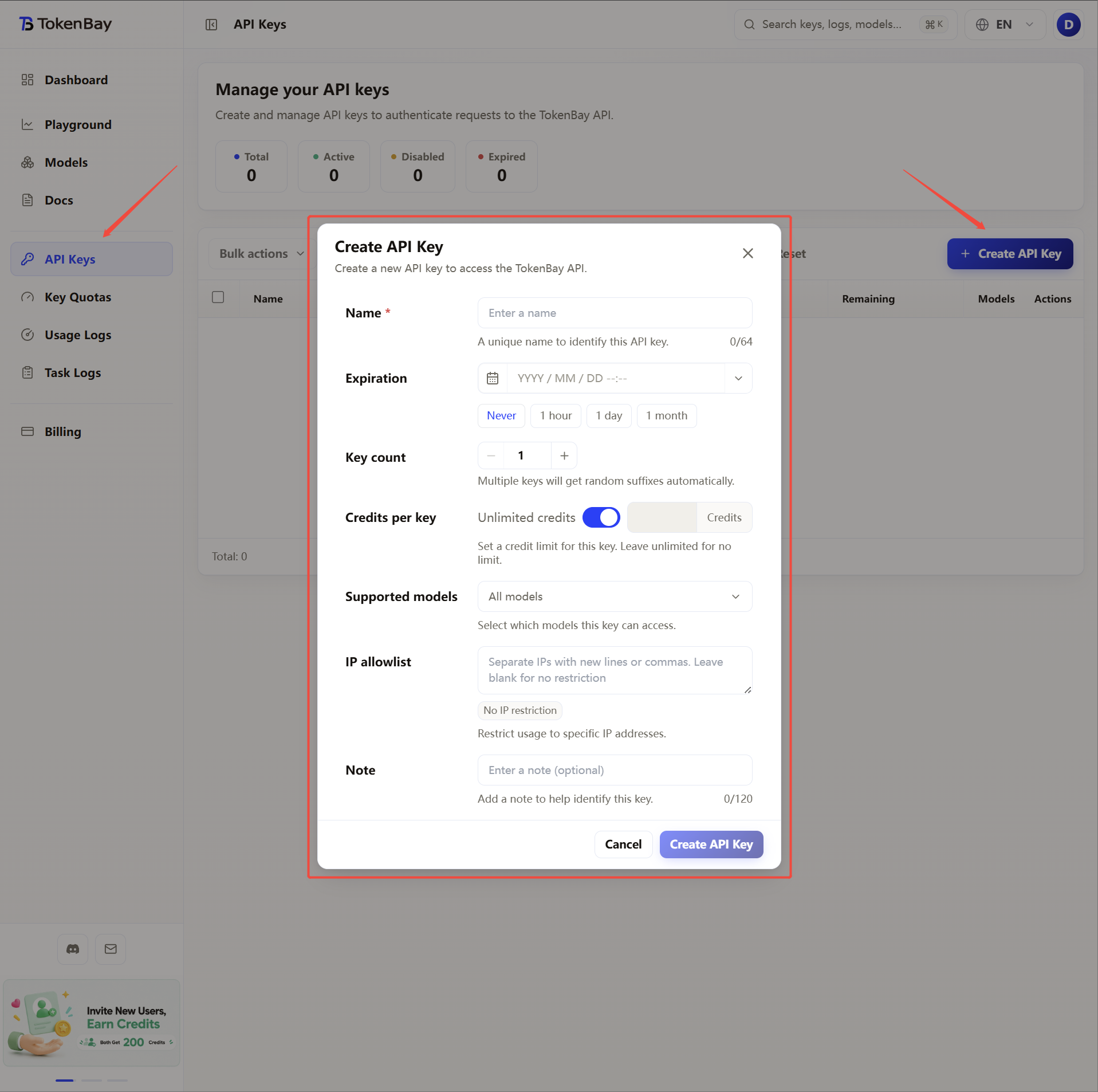
Sign in to the TokenBay console → API Keys → Create Key. Copy the full string starting with sk-. The plaintext is shown only once and cannot be viewed again after you leave the page.
2. Configure the environment variable
Codex reads credentials from the variable named by env_key; below we use TOKENBAY_API_KEY throughout:
| Variable | Value |
|---|---|
TOKENBAY_API_KEY | Your TokenBay API key (sk-...) |
macOS / Linux (zsh or bash)
Append the following line to ~/.zshrc or ~/.bashrc, then run source ~/.zshrc to apply it:
export TOKENBAY_API_KEY="sk-XXXXXXX"Windows (PowerShell, writes to the user-level environment)
[Environment]::SetEnvironmentVariable('TOKENBAY_API_KEY','sk-XXXXXXX','User')Windows (CMD)
setx TOKENBAY_API_KEY "sk-XXXXXXX"Both the PowerShell and CMD forms persist the user-level environment variable, and you need to open a new terminal window for it to be picked up.
3. Configure $HOME/.codex/config.toml
Create the file if it doesn’t exist, then append:
model_provider = "tokenbay"
model = "gpt-5.3-codex"
model_reasoning_effort = "xhigh"

[model_providers.tokenbay]
name = "TokenBay"
base_url = "https://api.tokenbay.com/v1"
env_key = "TOKENBAY_API_KEY"
Field reference:
| Field | Meaning |
|---|---|
model_provider | The active provider name; defaults to openai |
model | The model ID used by default |
model_reasoning_effort | The default reasoning effort (optional); allowed values are minimal, low, medium, high, xhigh |
name | The provider’s display name |
base_url | TokenBay’s OpenAI-compatible endpoint root (with /v1) |
env_key | The name of the environment variable holding the API key |
wire_api | The protocol used by the provider (optional); currently only responses is supported, and responses is also the default when omitted |
4. Recommended models
| Use case | Model ID |
|---|---|
| Coding (recommended) | gpt-5.3-codex |
| General-purpose flagship / complex reasoning | gpt-5.5 |
| Best value | gpt-5.4-mini |
Model name format: In model names, version numbers are only accepted in dotted form (e.g.
gpt-5.4); do not write them with hyphens (gpt-5-4).The table above is just an example. Refer to the Models list for the exact Model IDs, modalities, and endpoints; before connecting, verify them and confirm your group is authorized for the model.
5. Advanced configuration
Complex reasoning or long-context tasks can take a while, and the default timeout may interrupt requests. You can add retry and stream-idle timeout options to the provider table:
model_provider = "tokenbay"
model = "gpt-5.3-codex"
model_reasoning_effort = "xhigh"

[model_providers.tokenbay]
name = "TokenBay"
base_url = "https://api.tokenbay.com/v1"
env_key = "TOKENBAY_API_KEY"
request_max_retries = 4
stream_max_retries = 5
stream_idle_timeout_ms = 600000| Field | Meaning |
|---|---|
request_max_retries | Maximum retries when a request fails; defaults to 4 |
stream_max_retries | Maximum retries when a streaming response is interrupted; defaults to 5 |
stream_idle_timeout_ms | Upper bound for streaming idle timeout (in milliseconds; defaults to 5 minutes, changed to 10 minutes in the example above) |
6. Verify the connection
Once in a session, run /status to confirm you’re going through TokenBay rather than the official service:
/statusModel provider should show as TokenBay - https://api.tokenbay.com/v1.